Key Takeaways
- Retail SOPs are documented roadmaps that standardize everyday tasks to ensure consistent brand image, operational efficiency, and customer safety.
- Retailers often struggle with subjective quality standards, poor staff coordination, lack of training, and outdated paper-based procedures in binders.
- Retail audit software digitize checklists and automates corrective actions, ensuring SOPs are accessible, measurable, and consistently followed across stores.
Delivering a positive retail experience – warm greetings from the staff, shelves organized consistently, and easy checkout – every day and in every store is a challenge for retailers. The key to this challenge, however, lies in retail SOPs.
SOPs ensure a smooth-running operation and a predictable experience for your customers, no matter which location they visit. However, keeping retail SOPs up-to-date, ensuring employee adherence, and adapting them to different store layouts can all be hurdles.
Read on to learn how to implement retail SOPs effectively with digital checklists and a retail audit app.
- What are Retail Store Standard Operating Procedures (SOPs)?
- How to Implement Retail Store SOPs: Challenges and Solutions
- How to Ensure SOPs are Being Implemented in Your Store
- Free Retail SOP Template and Checklists for Store Management
- Streamline Standard Operating Procedures in Retail Stores With GoAudits
- FAQs
What are Retail Store Standard Operating Procedures (SOPs)?
Retail Store Standard Operating Procedures (SOPs) lay out roadmaps for your employees to handle everyday tasks and operations. With a solid retail SOP, you can describe what each team member needs to do, when, and how. This helps deliver a consistent customer experience and efficient store operations.
Retail Store SOPs: Why Do They Work?
Retail store operating procedures are effective for a few key reasons.
- Firstly, they help you create consistency and build a positive brand image. For example, they help you deliver the same experience, no matter which store or time of day the customer visits.
- They also boost efficiency by streamlining repetitive tasks. Employees know exactly what to do and how to get things right quickly, saving time.
- Furthermore, SOPs act as a common language for staff, reducing miscommunication and helping deliver effective training. With clear instructions for handling and resolving issues, you can avoid problems that lead to frustrated customers and operational hiccups.
- Finally, shop SOPs can improve safety and security by outlining proper procedures for handling cash, closing the store, and responding to emergencies.
How to Implement Retail Store SOPs: Challenges and Solutions
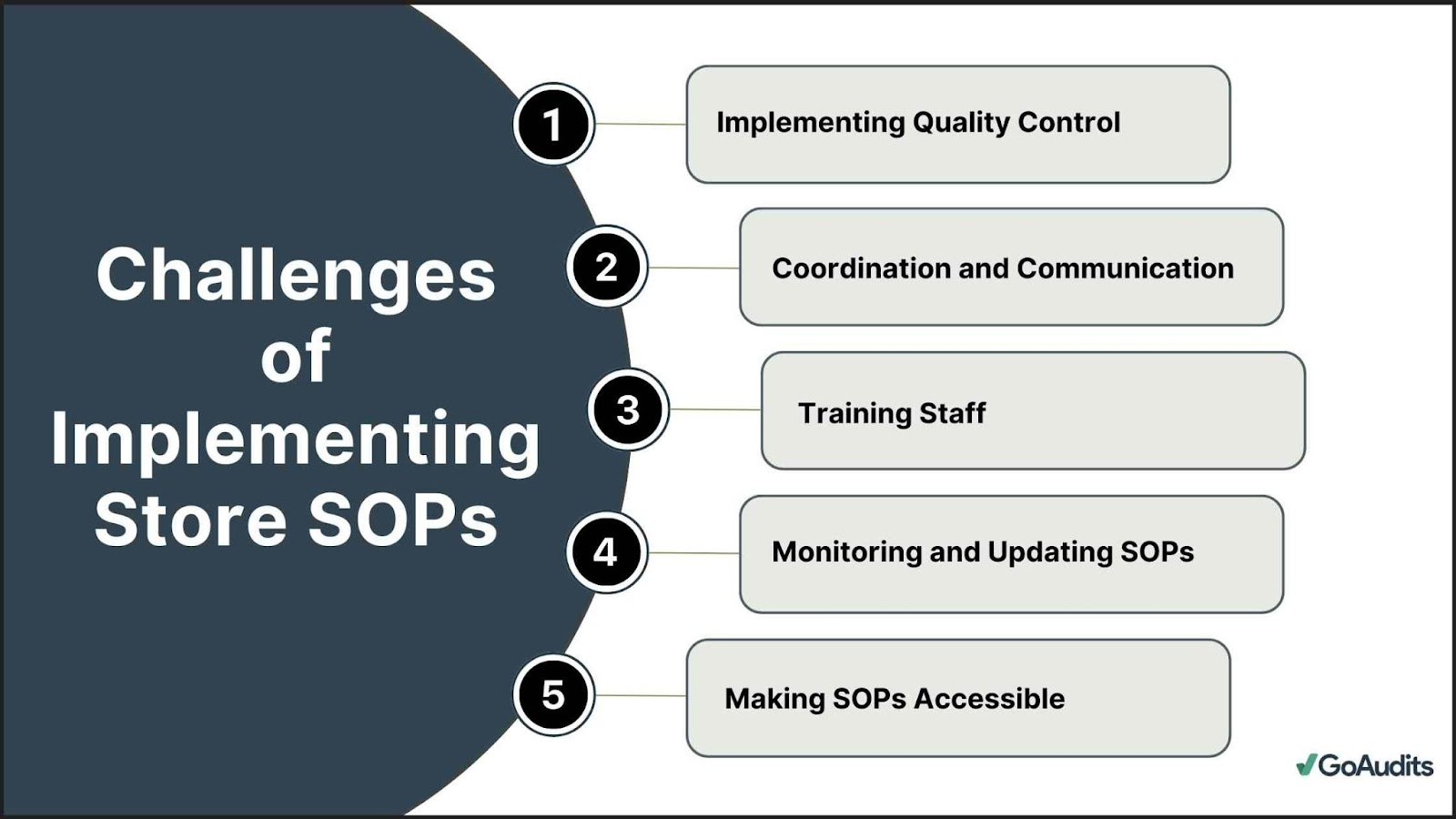
Here are some of the most common challenges with retail store SOPs, how they hamper operations, and how you can tackle them with digital solutions like checklists and store inspection apps.
Challenge #1: Implementing Quality Control
SOP for retail is the bedrock of consistent quality control in stores. However, achieving consistent quality can be a challenge.
If not defined clearly, quality can become subjective. You can standardize quality parameters with the help of digital checklists.
You can use the ready-to-use retail SOP templates or build them yourself. Define quality metrics for every product or service. Include images or add notes to minimize subjectivity.
Equipped with digital checklists, your staff will know the expected quality standard for each product. Thus, you can set a uniform quality standard and deliver consistently good service across all your stores.
Challenge #2: Coordination and Communication
Some situations may require coordination across many teams. For example, if during a routine store inspection, staff spot an issue with the lights, they need to communicate this to the Maintenance team. How to make sure that the correct team takes action on time?
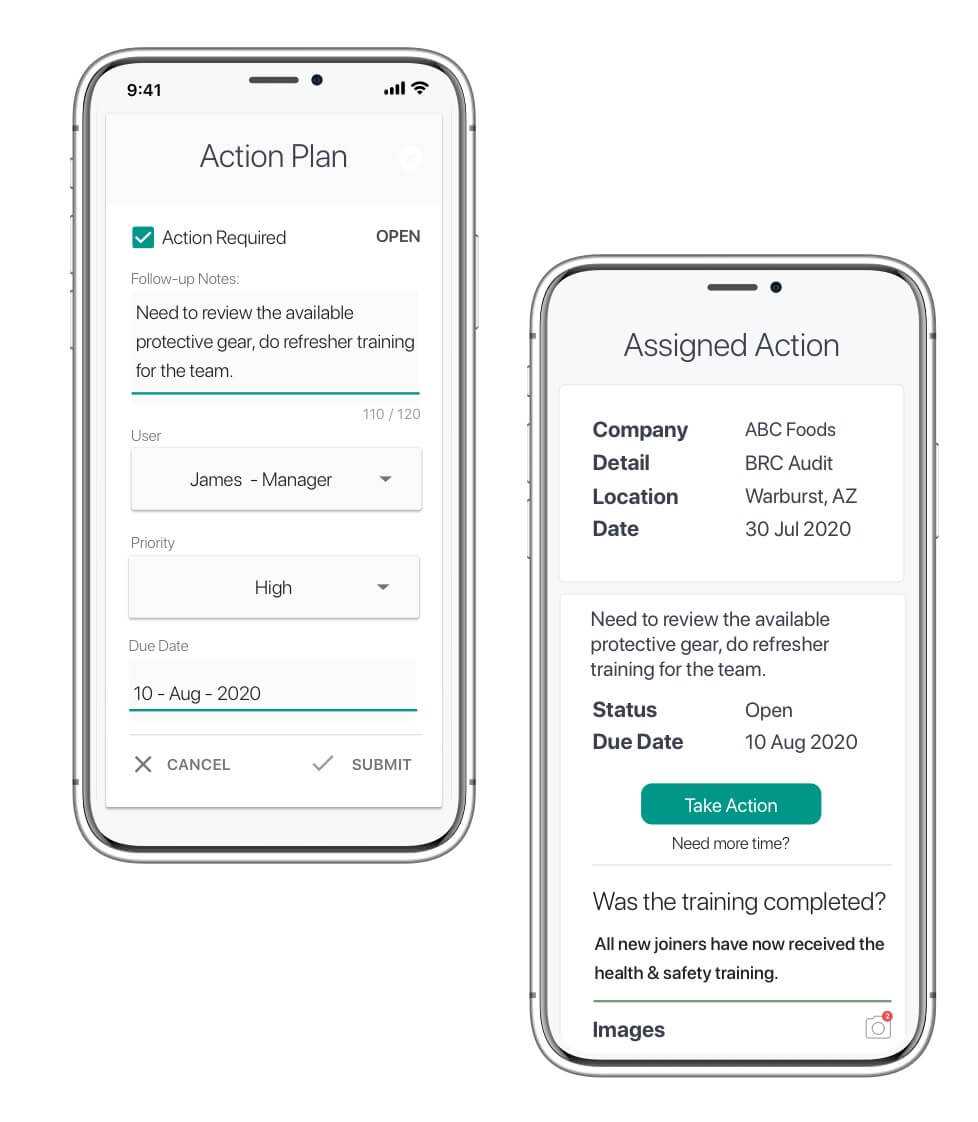
With correct retail communication strategies and a digital inspection app like GoAudits, staff can assign corrective actions directly within the app. The assignee receives a notification specifying the issue and the corrective action, ensuring a swift response.
The store management is automatically notified of the identified problem and the proposed solution, fostering transparency and improved collaboration.
Furthermore, the management can track the assigned tasks and analyze the response and completion times.
👉 Did You Know: With GoAudits, you can assign corrective actions and send reports to external parties, like contractors or vendors, with no extra charges.
» Get Started: Book a demo or start a 14-day free trial to explore GoAudits.
Challenge #3: Lack of Proper Shop SOP Training
You can create elaborate SOPs for your store chain, but how will you train your employees to bring them into action?
New hires might undergo preliminary training, but without continuous follow-up and identifying struggling areas, they are likely to err. Imagine a new cashier unsure of the SOP for handling returns; this lack of clarity can frustrate your customers.
Digital SOPs can bridge this gap by replacing paper-based procedures with digital checklists accessible on mobile and tablets – a more engaging and interactive training experience.
With digital SOPs for retail, you can implement step-by-step instructions with visuals. Furthermore, you can run staff audits and identify areas where employees might need additional training.
Challenge #4: Monitoring and Updating Standard Operating Procedures in Retail Stores
A static SOP document is not always the right tool to communicate instructions. especially if they need to change every few months. Consider a store that needs to frequently roll out new promotions and materials. How to ensure that promotion materials are displayed correctly and set in place in time?
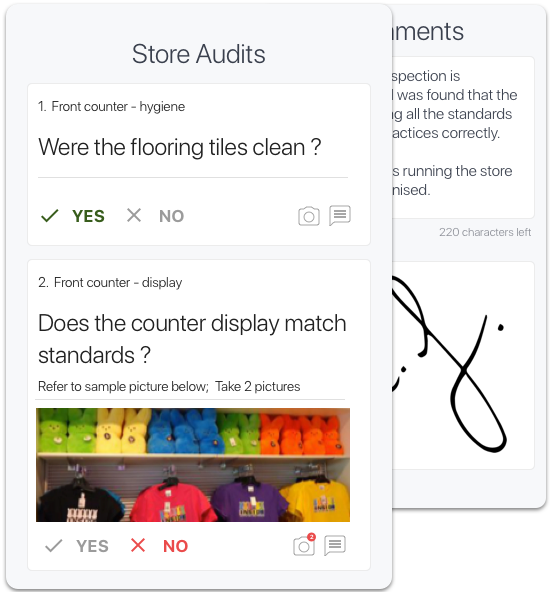
With a digital inspection app like GoAudits, you can tackle these challenges. You can include visual examples of how the promotional materials must be displayed.
The management can set a due date for task completion and send reminders if required. Additionally, the staff can send back reports of the completed promotion rollout with images and comments.
Challenge #5: Making SOPs Accessible
If SOPs are buried in binders or on a manager’s desk, staff might struggle to find the information they need. Digital SOPs in the form of interactive checklists address this challenge.
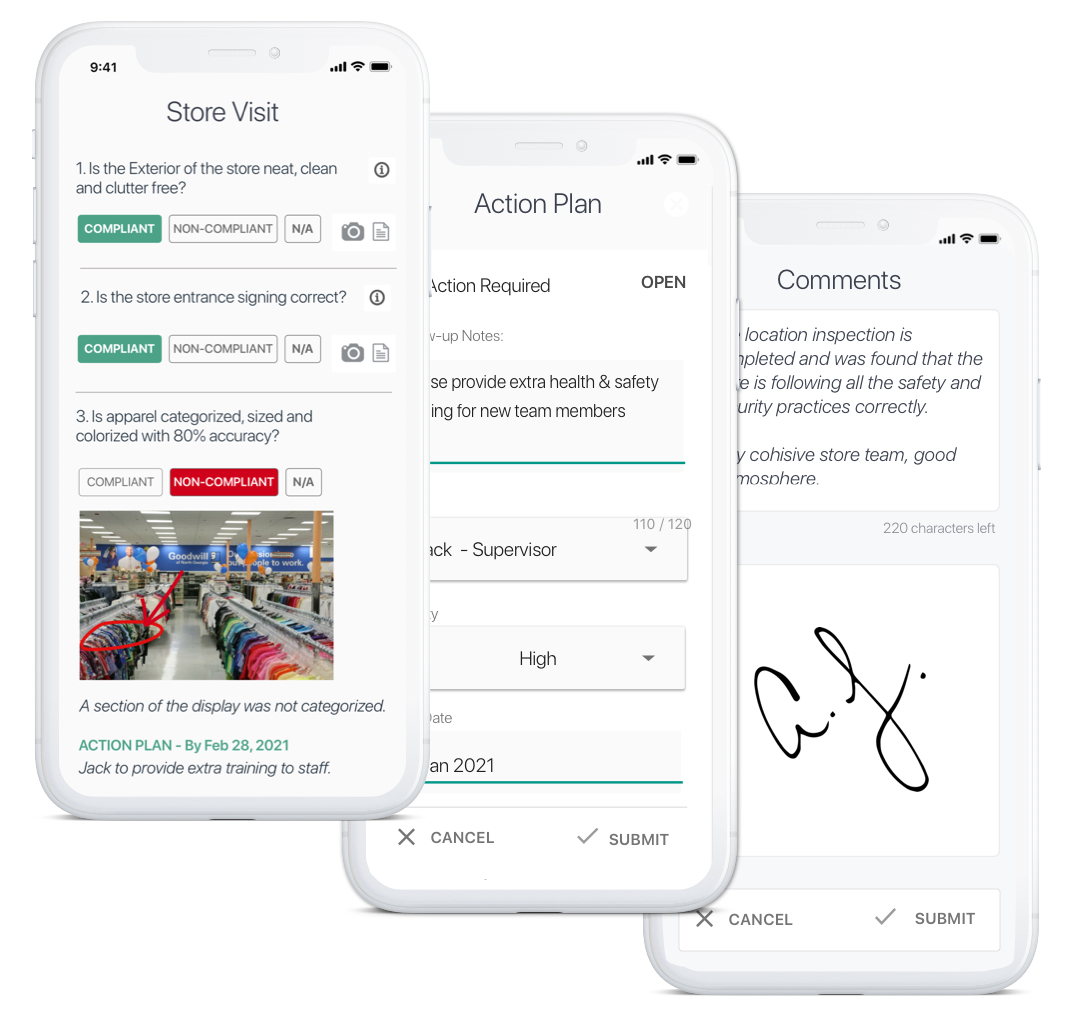
- Accessible on tablets or mobile devices, these checklists are readily available at the point of need.
- Interactive features can even guide staff through procedures, promoting comprehension and reducing errors.
How to Ensure SOPs are Being Implemented in Your Store
Ensuring retail SOP implementation requires digital tracking, continuous mobile accessibility, and automated feedback loops that turn static procedures into daily employee habits.
To move from a static manual to a living habit, follow these five best practices for driving SOP adoption in retail stores:
- Involve Your Team Early: Frontline staff deal with these processes daily. Involving them in the creation process builds ownership, reduces resistance, and ensures the steps are practical for real-world store conditions.
- Use SOPs for Active Onboarding: Don’t just give new hires a binder to read. Use role-specific training modules, hands-on demonstrations, and shadowing opportunities to build the right habits from day one.
- Make Procedures Highly Visible: SOPs should be “one tap away” for every employee. By using digital checklists accessible on mobile devices, staff can refer to instructions at the exact point of need on the shop floor.
- Track Use and Compliance: Implementation is only effective if it is tracked. Use real-time dashboards to monitor completion rates across different locations and shifts, allowing you to address execution gaps before they impact the customer experience.
- Gamify Adherence and Reward Excellence: Move away from “policing” by incentivizing compliance. Celebrate top-performing branches or incorporate SOP adherence into employee performance reviews to motivate teams and weave consistency into your company culture. Explore our detailed guide to retail KPIs and monitoring to learn how to measure the impact of your SOPs.
The Quarterly Retail SOP Refresh Framework
Retail operations are dynamic, and static procedures quickly become obsolete due to seasonal shifts, new technology, or changing safety regulations. To maintain high standards, retail operations managers should implement a Quarterly Retail SOP Refresh, a structured 90-day review cycle that ensures every procedure remains relevant and effective.
Following a consistent refresh cycle prevents “Standard Decay” and keeps your documentation aligned with current store realities:
- Days 1-15: Feedback Collection: Consult with frontline staff and store managers to identify “friction points”—steps in the current SOPs that are consistently skipped or difficult to execute in high-traffic periods.
- Days 16-45: Performance Data Analysis: Review your digital audit data to spot trends; if multiple locations are failing the same “Cleanliness” or “Merchandising” check, the SOP may need to be simplified or clarified.
- Days 46-60: Procedure Revision: Update the master digital templates with new instructions, clearer visual aids, or updated safety protocols based on the gathered feedback and data.
- Days 61-90: Global Rollout and Re-Training: Push the updated SOPs to all mobile devices instantly using your retail audit software and conduct brief “micro-training” sessions to ensure the team understands the changes.
Free Retail SOP Template and Checklists for Store Management
Digitizing SOPs and converting them into easy-to-use store audit checklists is an effective way to implement them. However, segregating them based on departments and store functions can further solve the retail SOP challenges.
Here are some retail store SOP lists to get you started.
Retail Store Operations SOPs
These are SOPs for store management that encompass a range of procedures, from managing staff schedules and cash handling to effective customer service techniques and loss prevention inspection.
Streamline operations in your retail store with these digital checklists.
- Retail Store Inspection Checklist
- Store Manager Checklist
- Daily Shop Checks
- Shop Review – Monthly
- Store Visit Checklist
Retail Store Opening and Closing SOPs
They include tasks like turning on lights and alarms, verifying cash register balances, and securing the storefront.
Secure the opening and closing of your stores with these checklists.
- Store Opening Checks
- Retail Store Closing Checklist
- Retail Store Opening & Closing Checklists (Combined)
Product Inspection and Merchandising SOPs
SOP for retail merchandising and product inspection detail procedures for receiving new inventory, checking for damage or inconsistencies, and ensuring proper labeling and pricing.
Additionally, they help you implement merchandising strategies to create visually compelling product displays. Here are the checklists to audit products and the effectiveness of your merchandising strategies:
Cleanliness and Hygiene SOPs
They establish guidelines for keeping the store clean and sanitary. They cover procedures for cleaning restrooms, disinfecting surfaces, and handling garbage disposal.
Propagate a culture of cleanliness and hygiene with these SOP templates.
- Retail Cleaning Checklist
- Pest Control Inspection Checklist
- Bathroom Cleaning SOP Checks
- Hygiene Standard
Facility Inspection SOPs
These SOPs help you train staff to identify issues and hazards in the stores, including specific areas like parking lots, lifts, escalators, etc. For stores with valet parking, include procedures for verifying staff identification and ensuring proper vehicle handling.
Safeguard facilities in your stores with the following facility inspection checklists:
- Store Maintenance Checklist
- Supermarket Parking Inspection
- Elevator Maintenance Checks
- Valet Parking Checks
Health and Safety SOPs
Retail health and safety SOPs ensure a safe environment for employees and customers. This includes protocols for handling spills, responding to accidents, and maintaining proper fire safety measures.
Create a safe environment with the following retail health and safety SOPs.
- Restaurant Health Inspection Checklist
- Retail Safety Audit
- Store Safety Checklist
- Fire Safety Inspection Checklist
Streamline Standard Operating Procedures in Retail Stores With GoAudits
GoAudits takes your SOPs one step further through a digital inspection app. You can use it for daily inspections, quality assurance, monitoring corrective actions, analyzing team performance, and more.
Read the success story at Goodwill: after testing in one division, the team rolled out GoAudits to 5 additional divisions. The team saves at least 20 hours/week, estimated direct annual saving of $20,000.
I have thoroughly enjoyed working with GoAudits: the team has been very accommodating and consistently responsive. As the administrator, I keep looking for more ways to leverage the system and streamline our business.
Kartella Fuller, Director of Operations & Guest Experience, Goodwill
With GoAudits, you can:
- Deliver top-notch services to customers, regardless of the store they visit
- Establish retail standards, brand consistency, and reputation
- Assess the effectiveness of merchandising and planograms
- Facilitate communication between store teams and vendors
- Enhance health and safety standards in your stores
- Highlight problems and good-performing stores
With a rating of 4.8 stars on Capterra, GoAudits is trusted by some of the biggest names in the retail industry.
» GoAudits Reviews: Read how companies leverage GoAudits to improve operational consistency and achieve brand standards.
FAQs
Smooth adoption is achieved through cloud-based digital checklists and mobile-accessible visual guides that replace static paper manuals and provide employees with instant access to brand standards on the shop floor.
To minimize downtime, retailers must implement Facility Inspection SOPs and automated corrective actions. Digitizing maintenance checklists allows staff to identify hazards or malfunctions instantly, triggering immediate notifications to maintenance teams and ensuring repairs are tracked to completion through a centralized dashboard.