What is a Supplier Audit Management Software?
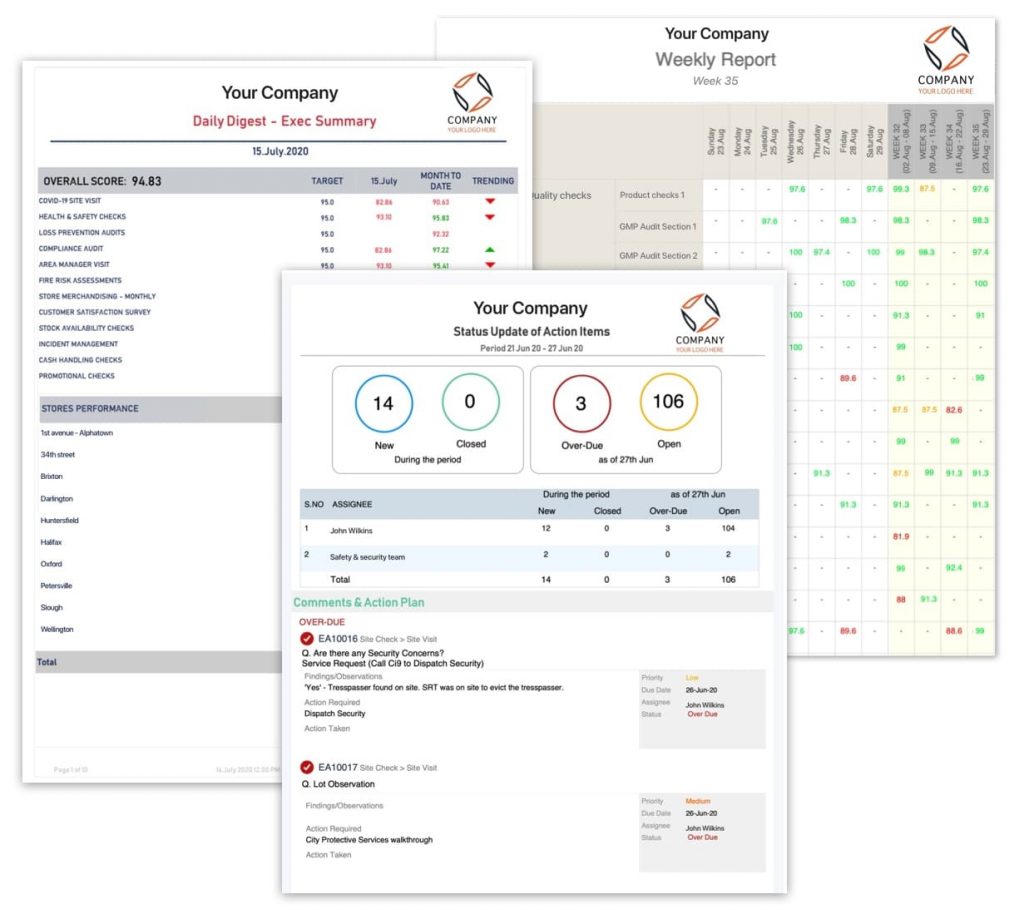
Supplier audit management software (SAMS), aka supplier inspection software, helps organizations manage and streamline the supplier audit process.
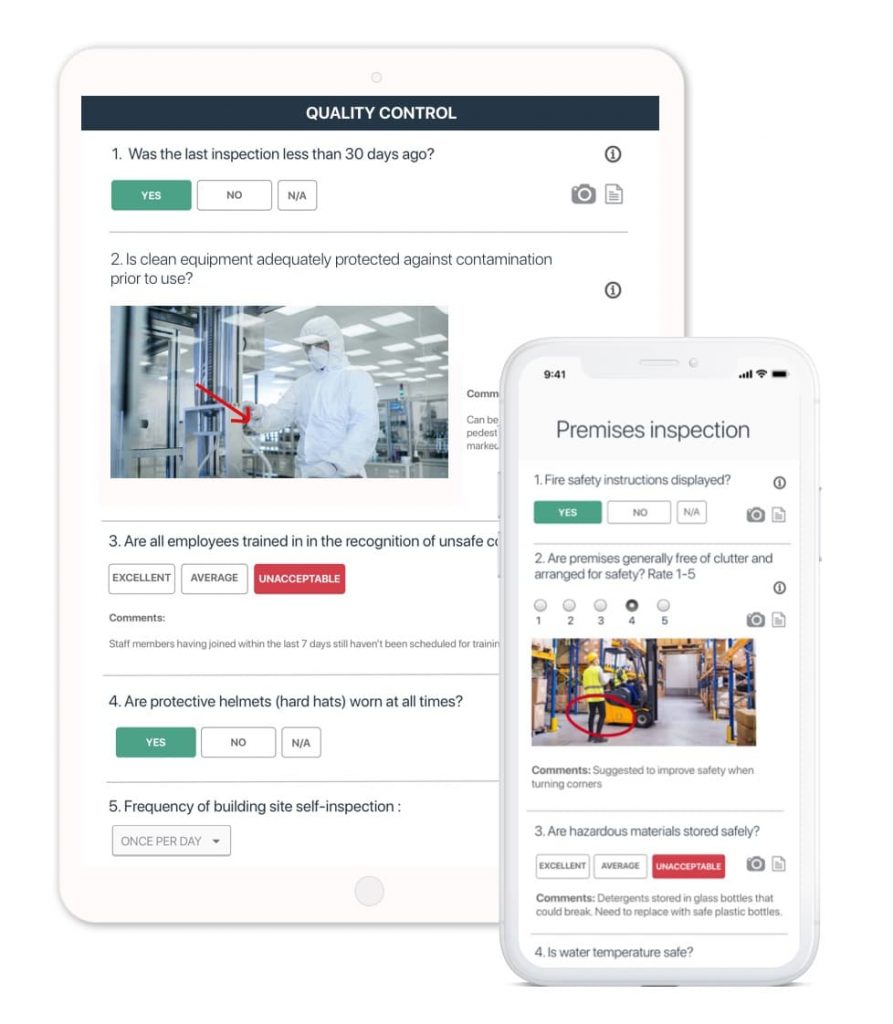
With SAMS, companies can automate scheduling audits, sending reminders, and tracking corrective actions. The best SAMS offers a mobile app for users to conduct audits and generate shareable reports instantly.
Additionally, it provides a central repository for storing supplier information, audit schedules, and audit reports. Instead of paper trails and manual tasks, the software offers features like:
Thus, with SAMS, you can ensure supplier quality, mitigate risks, and save time and resources.
What are the Benefits of Supplier Quality Audit Software?
A good supplier audit management software offers several benefits to a procurement officer, engineer, inspector, or manager. With supplier management inspection software, they can:
- Enhance quality assurance by standardizing audits, gaining data-driven insights, and improving communication.
- Minimize reworks and costs by proactively managing risks and making informed sourcing decisions.
- Strengthen supplier relationships by providing performance transparency, facilitating collaboration, and building long-term relations.
- Boost efficiency by automating workflows, centralizing data, and performing audits on the go.
Increase the visibility of the supply chain through regular audits and meeting high-quality standards.
What Types of Audits Can I Perform with Supplier Quality Management Software?
With supplier quality management tools, you can majorly conduct four types of audits – quality, social compliance, environment, and security.
Quality audits assess suppliers’ adherence to industry standards and your own quality requirements. Standardized vendor quality audit checklists and automated scoring ensure consistent evaluation across all suppliers.
Social compliance audits assess suppliers’ ethical practices, including labor standards, working conditions, and human rights compliance. This ensures your supply chain aligns with your values and mitigates potential reputational risks.
Environmental management audits evaluate suppliers’ carbon footprint, waste management practices, and adherence to sustainability regulations.
Security audits help you inspect the security of your suppliers’ IT infrastructure and data protection measures.
Additionally, you can audit supplier performance based on on-time delivery, responsiveness, and communication effectiveness. This will help you understand your suppliers’ overall performance and identify opportunities for improvement.
How to Audit with a Supplier Audit Software?
Auditing with supplier audit software involves several steps:
Planning & Preparation
- Decide what you want to assess (e.g., quality, social compliance, environment, etc.)
- Choose which suppliers need audits based on risk or performance.
- Pick a platform like GoAudits and customize audit templates.
- Inform suppliers of audit dates and objectives.
Conducting the Audit
- Access audit checklists, record findings, take photos, and add comments.
- Assess compliance with industry standards, regulations, and requirements.
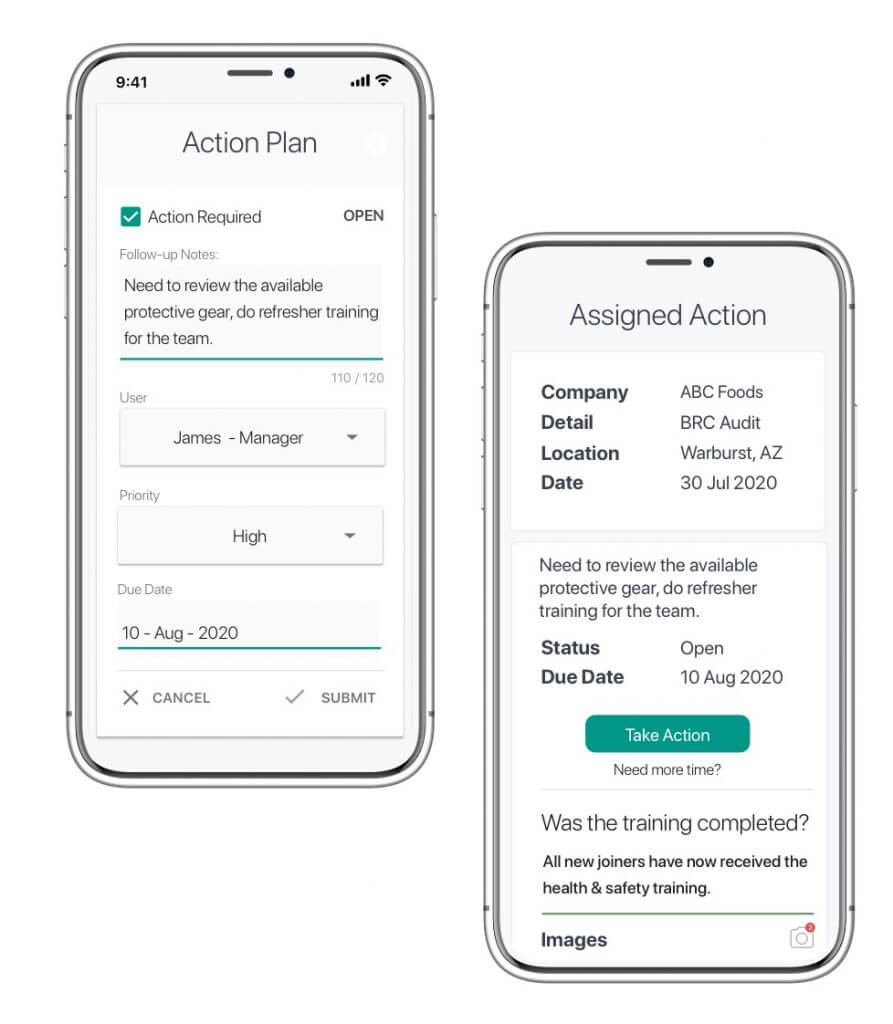
- Record deviations from standards and document and assign corrective actions.
Analysis & Reporting
- The supplier auditor software automatically generates reports with findings.
- Discuss findings with suppliers and agree on corrective actions.
- Use data to understand supplier performance and potential risks.
Follow-up & Improvement
- Monitor progress and ensure suppliers implement agreed-upon improvements.
- Conduct follow-up audits to verify corrective actions and maintain quality.
- Use audit data to refine your program and identify areas for system-wide improvement.
How to Select a Supply Chain Audit Software?
Selecting the right supply chain inspection software becomes crucial with various options available. Here are the key factors you must consider before zeroing down on a good supplier inspection software:
- Number of Suppliers: How many suppliers do you want to audit, and how many auditors do you work with? Do you want suppliers to perform self-assessments?
- Cost: Determine your budget and explore pricing models. These may include subscription, per-user, per-audit, etc.
- Type of Audit: Do you need software to audit quality, security, environment, compliance, or a combination? An efficient supplier quality audit software should accommodate all.
- Required Features: Includes photo & video capture, digital signatures, automated report generation, etc.
- Integration Features: Choose software that integrates with your existing supplier management quality system for streamlined data flow and efficient workflows.
- Online Reviews: Read customer testimonials on credible review sites, like Capterra, to understand real users’ experiences with supplier audit management tools.
- Customer Support and Training: Learn about the support and training resources available for a smooth implementation and integration of the supplier quality tools.
Request Free Demos and Trials: Best supplier audit apps like GoAudits offer free demos and trials for users to try the software and ask questions.
Supplier Quality Software Best Practices
Here are some of the best practices for you to get the most out of supplier quality tools:
- Implement fully customizable standardized audit templates.
- Schedule audits and set the frequency in advance.
- Define workflows and users with whom you want to share the updates and reports.
- Set reminders and alerts so that inspectors don’t miss any scheduled audits.
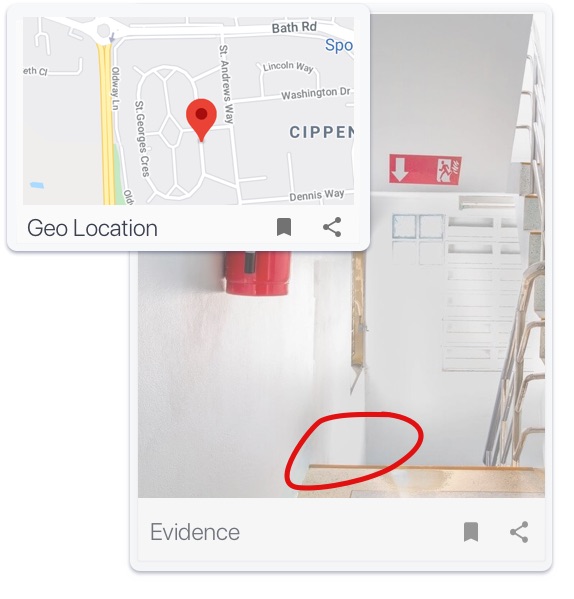
- Take high-quality photos of the non-conformances that you can include in the reports.
- Assign corrective actions during the audit process.
- Opt for an auditor tool that allows you to assign corrective actions to non-users.
- Track insights and make data-driven decisions through the analytics dashboard.
Leveraging supplier audit software like GoAudits can significantly enhance your quality assurance efforts. It empowers you to design customized checklists, automate workflows, and conduct audits with mobile devices, capturing real-time data and photo evidence.
Standardized templates ensure consistent evaluation, while robust reporting delivers data-driven insights into supplier performance and potential risks.
This translates to improved quality, reduced costs, and stronger supplier relationships, propelling your business toward increased efficiency and success.