

Retail Store Opening Procedure Checklist
Template Library > Retail Checklists > Store Opening & Closing Checklists
Store Opening & Closing Checklists for Efficient Retail Operations
A retail opening and closing checklist template serves as a reliable tool to guarantee all tasks are finished before the store opens or closes for the day. This is essential for safety, operational, and communication purposes.
A retail shop opening checklist covers areas like safety inspection, housekeeping, visual merchandising, inventory, etc. A store closing checklist on the other hand consists of items like clearing the store, restocking, cash handling, and final walkthrough.
Streamlining store opening and closing procedures using checklists offers benefits that include:
- Improved safety and security
- Consistent customer experience
- Enhanced staff accountability and communication
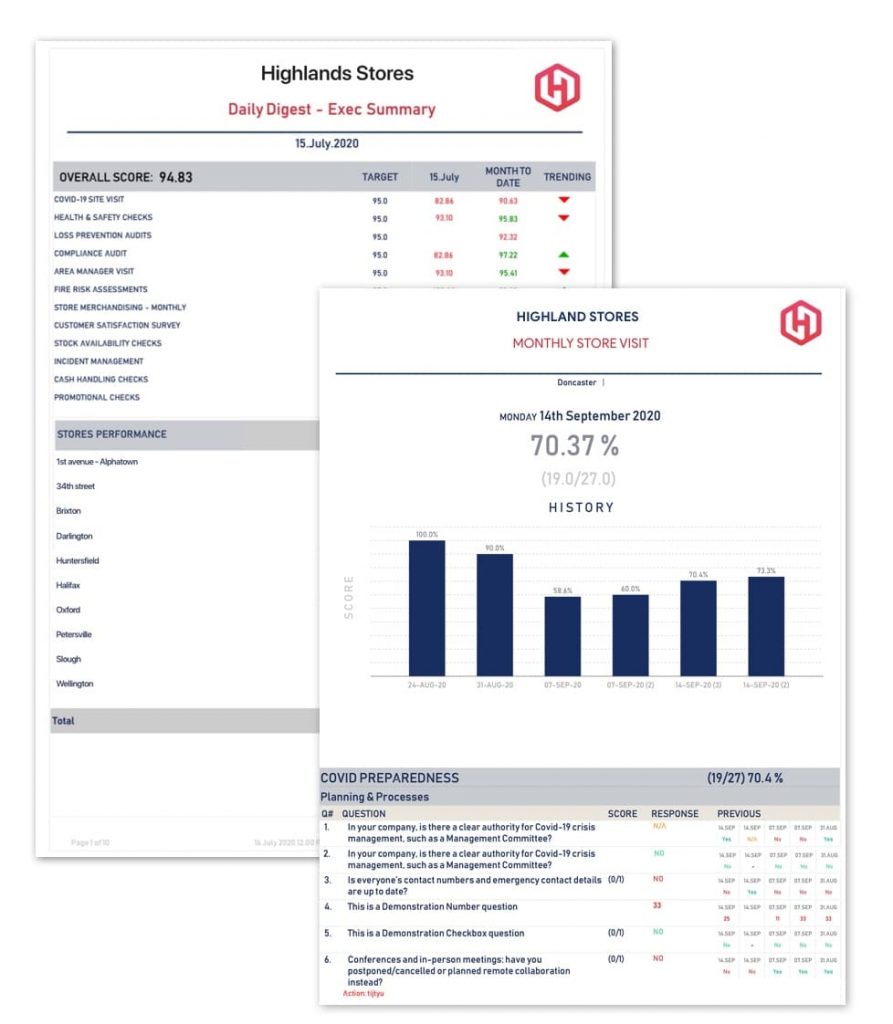
With the GoAudits Retail Audit App, you can:
- Eliminate paperwork: conduct efficient digital audits
- Customize this template or easily create your own
- Save time with instant reports & assign corrective actions
Facilities
Inventory
Security
Store Management
Facilities
Inventory
Security
Store Management
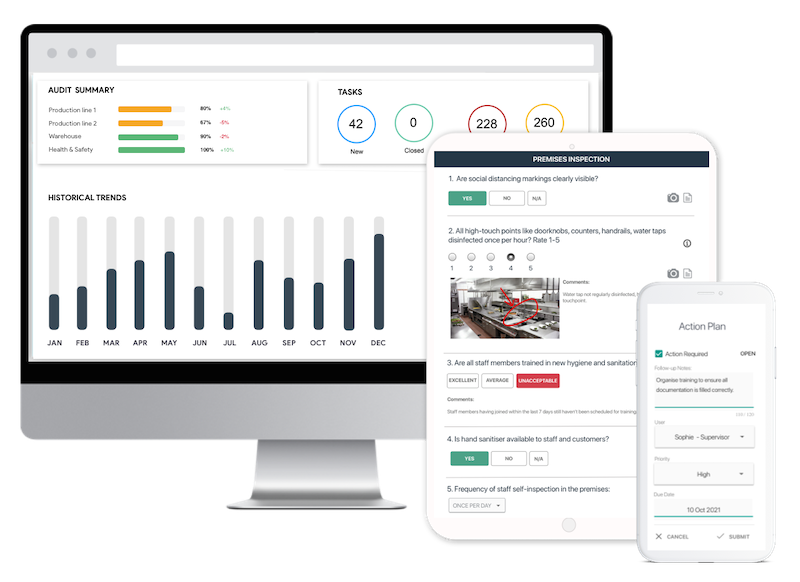
Save Time with Digital Inspections
- Easily capture & attach photos, directly on your mobile device.
- Instantly generate and share detailed reports after the inspection.
- Track corrective actions, view historical trends, improve standards.


What is a Retail Store Opening and Closing Checklist?
A retail store opening and closing procedure checklist is a list of tasks that must be completed before opening and closing a store for the day. Completing these checklist items ensures smooth, efficient, and secure retail operations.
Furthermore, store opening and closing checklists help maintain consistency across all outlets and deliver a positive customer experience.
Benefits of Opening and Closing Procedures for Retail Stores
Using a store opening and retail closing checklist offers several benefits, including:
- Faster Start-up: With clear retail SOPs, staff knows exactly what tasks must be completed before opening, minimizing wasted time and allowing the store to be operational promptly.
- Reduced Risk of Theft: Retail closing checklists include turning on security systems, locking doors, and setting alarms. Completing these checklist items secures the store against threats.
- Improved Compliance: Stores are expected to meet certain legal and regulatory retail standards. These may include functional emergency equipment, operational fire exits, and ensuring the store meets retail health and safety requirements.
- Enhanced Accountability: Checklists help store managers track the status of the task and pinpoint the source of an issue if they are not completed as per the expectations. This creates a sense of accountability and responsibility among employees.
- Improved Communication: Retail opening and closing procedures for stores clearly outline the tasks for each staff member, ensuring clear communication and no confusion and delays in the handover between shifts.
- Consistent Customer Experience: Retail checklists assure consistent closing and opening procedures every day across all outlets. This helps retail chains deliver not just consistent but also predictable and reliable customer experience.

👉 Use the GoAudits app to create and manage your own digital checklists
GoAudits streamlines retail audits and makes it easier to improve operational standards with customized checklists:
- Create an account for free, choose from 100s of checklist templates, customize them as needed
- Alternatively, build your own from scratch with a user-friendly drag-and-drop interface.
- Upload your current checklist in any format, and GoAudits will convert it for you at no cost within 1-2 days.
Retail Store Opening Checklist Template: What It Should Include
The retail store opening checklist template outlines the duties that a store personnel needs to perform before letting the customers in. Here are the components of a retail shop opening checklist:
Safety and Security Inspection
Retail thefts are most common during opening and closing. Therefore, it’s preferred that two people are present while opening the store.
Include the following retail safety questions in the store opening checklist to ensure everything from the outside looks safe:
- Do you see any signs of break-ins?
- Are there any broken windows?
- Are there any suspicious vehicles or people loitering around?
If the answer to any of the above-listed questions is yes, do not proceed with the opening, go to a safe place, and inform the police.
If things look normal:
- Enter the store and lock the door behind
- Turn off the security alarms
- Check if the surveillance cameras are on and working properly
Opening Inspection and Housekeeping
Once inside the store, turn on the lights and ensure the closing staff completed their tasks. At this stage, perform the following housekeeping procedures:
- Check for spillage or breakage which can be a safety hazard
- Look for wet spots on the floor, walls, or ceilings – this could be a sign of issues with plumbing or HVAC
- Complete retail store cleaning tasks – cleaning windows, doors, shelves, glasses, fitting rooms, etc.
- Make notes of areas of improvement and share them with housekeeping staff
Electronics
Once you’re sure everything in the store is clean and secure, it’s time to turn on the electronics and check they are functioning properly. This includes checking POS, checking the cash registers are balanced, and turning on the TVs, sound systems, air conditioning, and traffic tracking software (if applicable).
Inventory
Check the stock levels for the popular products. Perform an inventory count to make note of any shrinkage, if any. If necessary, restock shelves.
The task of checking inventory can be performed either visually (in the case of small retail stores) or using the Point of Sale (POS) method, which allows you to set low-stock alerts, so you know when it’s time to reorder an item.
Visual Merchandising
Now is the time to ensure that the products look visually appealing. A retail store opening checklist may include the following tasks related to visual merchandising:
- Ensure products displayed on the shelves comply with the planograms
- Unpack new inventory and place it on the shelves
- Make sure all products are correctly tagged
Team Huddle
Before you open the store for customers, conduct a team huddle to motivate your staff and ensure everyone knows what they need to do. A team huddle may look something like this:
- Checking everyone is wearing the uniform as per the dress code
- Reviewing sales targets
- Discussing the areas of improvement and sharing feedback
- Reiterating health and safety measures
- Reviewing shifts and duties of individual staff members
Closing Shift to Opening Shift Communication
Your store opening checklist needs to mandate the transfer of critical information to ensure the next shift is set up for success.
Critical Handover Information (Closing Staff Duties)
The closing manager must document and clearly convey the following to the opening team:
- Maintenance Issues: Note any equipment (POS, lights, HVAC) that failed or was serviced during the last shift.
- Customer Follow-up: Detail any unresolved customer issues or complaints that require an immediate call-back the next morning.
- Inventory Discrepancies: Note any unusual stock counts, unexpected deliveries, or shrinkage discovered during closing.
- Security Concerns: Record any unusual activity, suspicious persons, or alarm issues encountered during the closing procedures.
Store Readiness Metrics
Beyond simply checking boxes, the closing team must confirm the store is in a state of readiness for the next day. This can be conceptualized as checking the five “Power Areas” for immediate customer impact:
- Front of Store: Is the window display perfect and the entryway clear?
- Cash Wrap: Is the POS area fully stocked with bags, clean, and ready for high volume?
- High-Traffic Aisle: Is the main promotional aisle fully stocked and perfectly merchandised?
- Fitting Rooms/Restrooms: Are they clean, cleared, and restocked?
- Back Stock Access: Are the stockroom pathways clear, organized, and ready for rapid replenishment?
Store Front and Signage
Just before the customers start pouring in, have a final look at the storefront to confirm it looks appealing from the outside.
Ensure there is no debris around, the “Open” sign and posters/banners are exactly where you wish them to be, the display window looks appealing, and nothing is out of place.
👉 Learn More: Explore a retail audit app to help improve operational standards.

Retail Store Closing Checklist Template: What It Should Include
Similarly, the store closing checklist helps staff remember the tasks they need to complete before closing shop. Additionally, store closing procedures ensure the store is ready for operations the next business day.
Here are the key items on the retail closing checklist:
Clear the Store
Make an announcement 15 minutes before the closing so that customers can wrap up their browsing and complete their purchase. At closing time:
- Confirm everyone has left the store by checking areas, including changing rooms, restrooms, and stockrooms
- Bring in all the signage, banners, and shopping carts that are outside the store or on the sidewalk
- Lock all the doors and commission a staff member to stand by the main door to let all the customers and workers out
- Check that customers or staff members aren’t carrying unpaid products outside the store
Restock
Survey the checkout point and fitting rooms for products, mark them in the POS system as “in stock,” and put them back where they belong. Replenish the sold inventory by taking more stock from the storeroom and placing it on appropriate displays.
Closing Housekeeping
Completing the cleaning and housekeeping tasks before closing ensures a more efficient opening process the next day. The store closing checklist includes the following:
- Complete the general cleaning, including mopping the floor, wiping mirrors, and counters
- Clear the aisles of any merchandise, carts, or litter
- Empty all trash and put them for recycling
Cash Management
At closing time, count the cash in the register drawers. Compare the final amount to the POS system’s sales report. If they match, secure and prep the cash for a deposit. Any discrepancies should trigger a recount and investigation.
For security purposes, you might want to trust a long-tenured cashier to handle cash towards the end of the day.
Turn Off Store Equipment
This includes turning off the POS systems, printers, and electrical systems like air conditioning and TV screens, and locking the cash registers.
Final Walkthrough
At the end of each day, you must perform the final walkthrough. It includes taking note of incomplete duties, turning off the lights, and turning on the security alarms.
Double-check that all the electronics are off and everyone has left the store. Ensure there are two staff members at closing for safety reasons. Finally, check the door one last time to confirm it’s properly locked before you leave.
Customizing the Opening and Closing Checklist by Retail Industry Vertical
While the core tasks of security and cash handling remain universal, a powerful store opening and closing procedure checklist must be tailored to the specific needs of your retail vertical.
Apparel and Softlines Retailers
- Fitting Room Audit: Closing staff must empty, count, and sign off on all items left in fitting rooms to account for potential loss prevention issues before items are put back on the floor.
- Visual Standards Check: Ensure all garments are correctly sized, folded to standard (folding table), and hung facing the correct direction according to the store’s visual merchandising guidelines.
- Security Tagging: The opening checklist must include a check of the deactivator pads at the cash wrap to ensure they are working properly to prevent false alarms.
Food Service and Quick Service Restaurants (QSR)
- Temperature Logging: Both opening and closing checklists must include mandated temperature checks for all cold-holding and hot-holding units (fridges, freezers, steam tables), with logs immediately filed.
- Date Stamping: The closing team must verify that all perishable ingredients are properly covered, labeled with a time and date stamp, and stored according to HACCP or local food safety standards.
- Waste Disposal: Opening staff must confirm that grease traps and exterior waste oil barrels have been secured and are not overflowing.
High-Value and Electronics Retailers
- Demo Unit Check: Opening staff must ensure all display/demo units are charged, functional, connected to Wi-Fi, and wiped clean of fingerprints.
- Display Case Security: Closing staff must verify that all high-value items (laptops, cameras, jewelry) are accounted for and that all display cases are double-locked and secured with visual confirmation.
High-Risk Store Opening and Closing Procedures
The time the store opens or closes represents the highest security risk of the day. Strict protocols are required to protect your staff, your assets, and your store.
Key Control and the Two-Person Rule
Minimize the risk of robbery or employee theft by implementing rigorous key control:
- Dual-Staff Opening/Closing: Whenever possible, require two authorized staff members to be present during both the opening and closing procedures. This acts as a witness system, significantly deterring internal and external threats.
- Key Security: Keys and alarm codes must be secured when not in use. Only authorized managers should carry store keys. If a key is lost, the alarm codes must be changed immediately, and key cylinders should be rotated.
- Safe Entry Protocol: Staff should wait until the store alarm is disarmed inside the premises before fully opening the main door. If the alarm fails to disarm, they should retreat to a safe location and immediately call the manager and the security company.
Cash Reconciliation and Discrepancy Protocol
The “Cash Management” closing task requires a formal follow-up when the till does not balance. This is crucial for loss prevention.
- Investigation Steps: If a cash shortage or overage greater than a set threshold (e.g., $5.00) is detected, the closing procedure cannot be finalized until a full recount is performed.
- Mandatory Documentation: If the discrepancy persists after the recount, the closing manager must immediately document the incident, noting the cashier, the amount, the POS terminal used, and any potential causes.
- Manager Sign-off: The discrepancy report must be signed by two parties (the counter and the closing manager) before the cash is secured for deposit.

Retail Operations Checklist App
- Easily perform audits anywhere in the facility using a mobile device.
- Capture and attach photos as proof of compliance or areas needing attention.
- Assign tasks, set deadlines, and track progress, all within a single app
- Analyze data from audits to identify trends, pinpoint recurring issues, and assess compliance levels.