- Library ›
- ISO Standards ›
- ISO 13485 Checklist
ISO 13485 Checklist
Management Controls
Design And Development / Design Controls
Corrective And Preventive Actions (CAPA)
Medical Device Reporting (MDR)
8. Complaint investigations include the device name, date of complaint, device identification number, contact information of complainant, details of complaint, date and results of investigation, any corrective actions, and replies to complainant? (ISO 13485:2016: 7.2.3, 8.2.1, 8.2.2, 8.5.1)
|
Photo
Comment
|
Production And Process Controls (P&PC)
Documentation And Records
10. DMRs contain or make reference to device specifications, production process specifications, quality assurance procedures and specifications (including acceptance criteria), packaging and labelling specifications (including acceptance criteria), and installation, maintenance, and servicing procedures? (ISO 13485:2016: 4.2.1)
|
Photo
Comment
|
12. DHRs contain or make reference to dates of manufacture, quantity manufactured, quantity released for distribution, acceptance records demonstrating the device was manufactured per DMR, primary identification label and labelling used for each unit, and device identification and/or control numbers used? (ISO 13485:2016: 8.2.6)
|
Photo
Comment
|
Purchasing Controls
Sterilization Process Controls
Customer Requirements
Technical Files
Checklist by goaudits.com – Please note that this checklist is intended as an example. We do not guarantee compliance with the laws applicable to your territory or industry. You should seek professional advice to determine how this checklist should be adapted to your workplace or jurisdiction.
Is this sample what you are looking for?
Sign up to use & customize this template, or create your own custom checklist.
NEW! Try generating a custom checklist with our free AI tool:
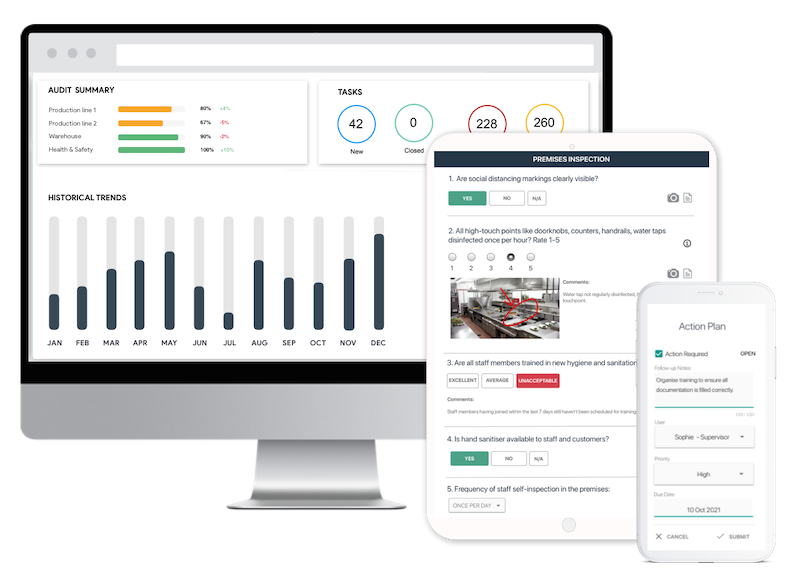
Easy inspection app for your digital checklists
- Conduct inspections anytime, anywhere - even offline
- Capture photos as proof of compliance or areas needing attention
- Instantly generate and share detailed reports after the inspections
- Assign & track follow-up tasks, view historical trends on a centralized dashboard