- Library
- Healthcare
- HIPAA Omnibus Checklist
HIPAA Omnibus Checklist
13 questions in 1 sectionInteractive preview: try the answers
Section 1 of 1 · 13 questionsHIPAA Omnibus Rule
Privacy for Patient Check-In - HIPAA Compliance Patient Sign-In Sheets
Establish Privacy for Patient Check-Out (ensure other patients are not standing within hearing range during check-out procedures)
Reception Area Wi-Fi Access separate from Business Wi-Fi
Secure the server for example by moving server to a secure area / bolt with a server cage or server locker.
HIPAA text compliance implemented?
Secure faxes, fax-to-email service is a good practice.
Upgrade the operating systems, for example Microsoft Windows XP is no longer HIPAA compliant.
Retire Take-Along Back-Up Drives move to reliable cloud-based data storage
HIPAA Omnibus Rule forms updated to include Employee Confidentiality & Training Agreements; Patient Forms, Business Associates Agreement and Notice of Privacy Practices
Updated HIPAA Omnibus Rule reports written to include Risk Assessment report, Data Back-Up & Contingency report?
HIPAA Manual updated?
All employees trained to new HIPAA Omnibus rule standards?
Schedule Periodic HIPAA update team meetings
Checklist by GoAudits. This checklist is an example: we do not guarantee compliance with the laws applicable to your territory or industry. Seek professional advice to adapt it to your workplace or jurisdiction.
Free PDF
Download the HIPAA Omnibus Checklist
By downloading this checklist you agree to the GoAudits privacy policy and terms of service.
NEW! Try generating a custom checklist with our free AI tool:
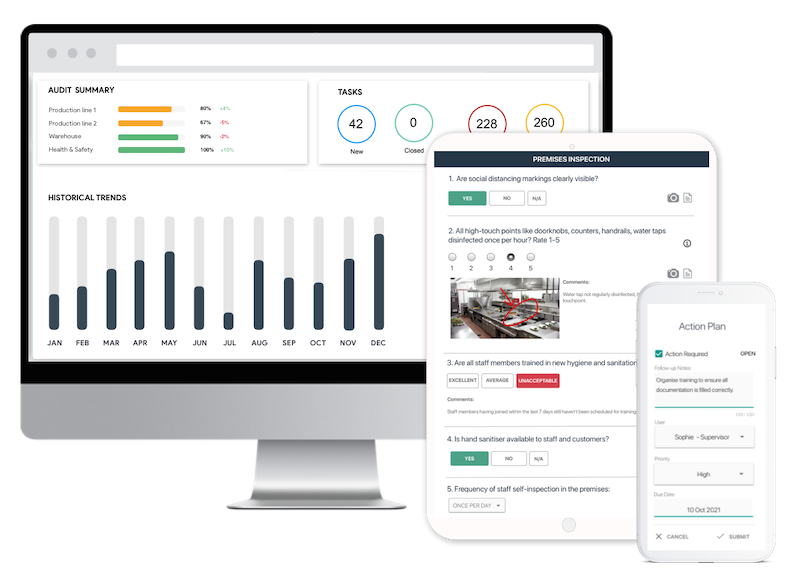
Easy inspection app for your digital checklists
- Conduct inspections anytime, anywhere - even offline
- Capture photos as proof of compliance or areas needing attention
- Instantly generate and share detailed reports after the inspections
- Assign & track follow-up tasks, view historical trends on a centralized dashboard